
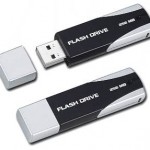
 Whenever you connect a external drive like Pendrive, Mp3 Player or any small storage device in order to transfer files or any other stuff there are chances that you are transferring virus onto your computer. This is because these small drives are one of the best transfer modes of virus and these come with super quick transfer features which means that all the virus is instantly spread.
The application iKill would scan your drive and check out if autorun.inf file is available on all the removable drives and would delete all the files. Normally you would find this file autorun.inf file all your removable drives which is not really required in most cases, hence its recommended to remove it. Most removable media drive virus would be affecting the autorun.inf files and would execute themselves following which it will be running its own commands.
If you right click on the drive icon and click on Explore the applications like virus.exe would start executing and would start spreading all around which is when iKill is useful for deleting virus from usb drive.


Features :
It works by scanning the drives for the presence of removable drives.
If found, it parses the autorun.inf file for the executables it may run.
If AutoProtect is enabled, it will automatically delete the files present on the drive. otherwise, you will be asked if you want the suspected files deleted.

LIKE