
Whenever you try to install a printer, the software installation disk is required for sure, but in case of printers which are of old models then there are chances that the Drivers CD would be missing and the next step would be to find appropriate drivers for the same. Microsoft Fix it Center offers a small handy application for Windows users who are having printer related issues which automatically diagnosis your computer and the connected printer and gives you a report along with a auto or manual fix for the same.
Called as the Mats_Run.printing which is available at the Microsoft Support website. The application is just 500kb is size and is available as a directly executable file. Just download and run the file to get started.

The application would ask you to select any of two available options : Detect problems and apply the fixes for me (Recommended) or Detect problems and let me select the fixes to apply. If you are a experienced windows user you should be selecting the second option to know the root cause of the issue.

The next option would be selecting the printer which you would like to trouble shoot from the list of searched and found printers. If the printer name is not listed you will have to select the option ‘My printer is not listed’. Click on the correct option and select next to proceed further.
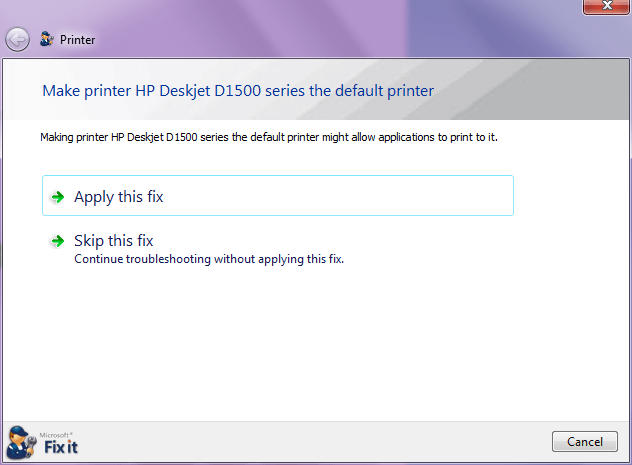
Now you will have to proceed further with the application of a fix for the problem because of which the printer is not printing and giving you issues.

Once you have completed this procedure the problem is fixed and you will be shown with the status of the issue. If the final printer name which is shown there is not the one which you were trying to install and fix you will have to perform the whole process again.

Finally you can complete this by sending a feedback to Microsoft with the suggestions and bugs using this.